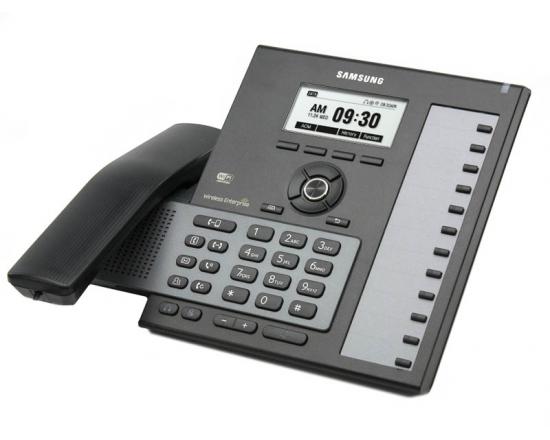
Samsung DCS Compact Phone System Manuals

Posted on

These are the installation and programming manuals for the Samsung DCSc (DCS Compact) phone system.

Any changes should be made by or with the assistance of a certified Samsung technician.  Remote support can be purchased from TelephoneSystemsDirect.com.

DCSc Installation Manual

DCSc Program Manual

Samsung DCSc User Guides

It’s Time For A New Phone System.

It’s time to replace your Samsung Telephone System! Did you know that the average lifespan of a premises-based phone system is 5 years? If you purchase hardware today, it is going to become obsolete – it’s a question of when, not if. What will you do when you find out that the features your business relies on are no longer being upgraded or supported?

With our Business Phone Service you’ll do far more than replace one phone system with another. You will gain a flexible, feature-rich Unified Communication System that will unleash productivity within your organization at an affordable price.

We’re ready to help with answers to your questions, a demo or a fast, no-obligation quote. Use the contact form below or call us at 866.898.2303 Option 1.
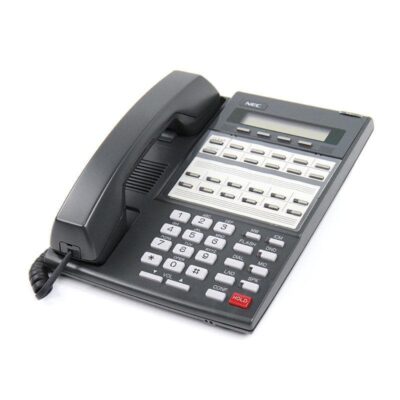
NEC DS 2000 phone system intramail goes immediately to voice mail

Posted on

Problem:  On a DS1000/2000 phone system callers are sent directly to a users mailbox instead of ringing the NEC phone and then going to a mailbox.  Dialing or inter-coming  the phone extension number causes the phone to ring as normal.

Solution: This is typically caused when the NEC DS2000 or NEC DSX user inadvertently puts their mailbox in auto-attendant do not disturb.  To remove auto-attendant do not disturb press the voice mail/message key.

Enter phone system voice mail password if necessary.

Press “0” for the NEC Intramail full menu.

Press “G” or “4” for Intramail Mailbox Greetings.

Press “o” or “6” to turn auto-attendant do not disturb on or off (toggle)

Checking a phone at the phone system using a standard phone jack

Posted on

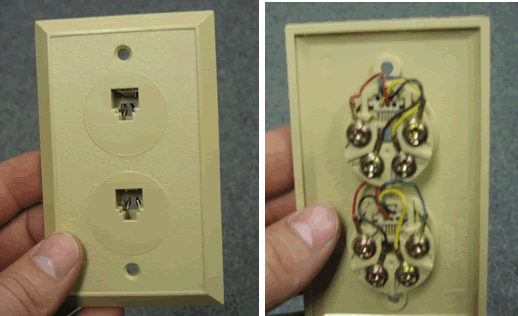
Find a standard telephone jack. This is a two port jack but only the top one will be used.

Phone Jack

Find some wire to use. You can use the cross-connect wire supplied with your phone system or you can cut a piece of spare wire. Make sure the wire has a solid core and is not stranded, stranded wire does not make a good connection on the 66 block.

phone wire

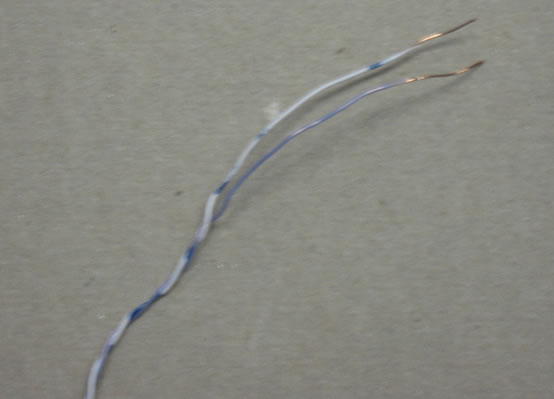
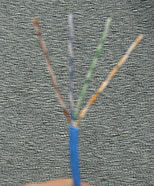
Strip the wire so the copper is exposed.

stripped wire

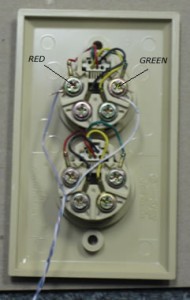
Connect the stripped wire to the Red and Green terminals on the jack.

phone jack

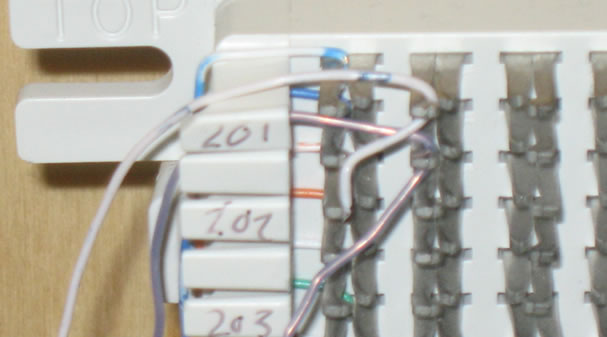
Connect the other end to the 66 block at the extension you are testing. In this example we are checking extension 201.

66 block

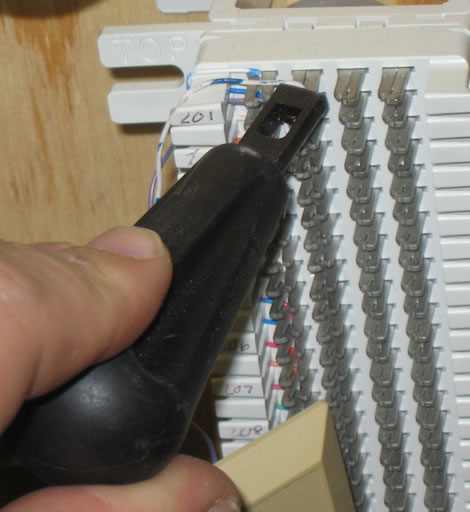
Punch down the wires using the punch down tool provided.  If you do not have a punch down tool scroll down to see how to connect the wires without a punch down tool.

punch down

If you do not have a punch down tool you can twist the wires onto the 66 block. Try not to touch the wires together.

Now plug a phone into the front of the jack.  If your phone works the phone system is OK and there may be an issue with the cable.

Changing the Day and Night Greeting on Samsung Voicemails (SVMi)

Posted on

These are instructions on changing the Day and Night greeting for a Samsung Officeserv phone system that uses a Samsung SVMi voicemail. These instructions will work on most OfficeServ 7100 phone systems, OfficeServ 7200 and7400 phone systems, OfficeServ/iDCS 100 and OfficeServ/iDCS 500 phone systems.

First log into the Admin Mailbox

  1. Press the VOICEMAIL button.
  2. You should hear “Enter Passcode”
  3. Press “*” (asterisk) and you should hear the main greeting “Thanks for calling…”.
  4. Press “#0000” to access the system administrator mailbox and you should hear “Enter the passcode”.
  5. The default passcode is 0000 (NOTE: it is possible to change this passcode so if 0000 does not work contact the company that installed your phone system).

You should hear “Welcome to the system administrator main menu, for system prompts press 1”.

Find the greeting you want to record

  1. Press “1” and you should here “Enter the prompt number”.
  2. Dial 1001 for the DAY prompt or dial 1002 for the NIGHT prompt.
  3. Press 1 to listen to the existing prompt.
  4. To re-record the prompt press 3.
  5. When done press the # key to end recording.

TEST your new recording.

NEC DS1000 and DS2000 Technical Support

Posted on

Our experienced technicians can troubleshoot, repair and fine tune your NEC DS1000 and DS2000  telephone system programming.   Most telephone system programming issues can be resolved by our technicians walking you through the programming steps over the telephone.  We also offer remote programming via a web meeting.

Things you should know:

  • A detailed description of the problem.  Note any error messages that show on the phone display.
  • For remote programming we will need a computer with a serial port and the NEC DS1000 or DS2000 programming cable.  Most new laptop computers do not have serial cables so you will need a USB to serial connector.

Technical support rates are $80.00 per hour.  For more information or an estimate on how long it will take to resolve your technical problem you can contact our technical support department at 866-898-2303 opt 2.

Samsung Telephone System Technical Support

Posted on

Our experienced technicians can troubleshoot, repair and fine tune your Samsung telephone system programming. Most telephone system programming issues can be resolved by our technicians walking you through the programming steps over the telephone.  We also offer remote programming via a webmeeting.   If you are having a problem with the voice mail on your Samsung telephone system we may require that you connect a computer to the voice mail system.

Things you should know:

  • The model of your Samsung telephone system. The model can be found by looking at the phone system main cabinet (usually located in an electrical closet or phone room).  Typical models are Prostar 816, 824, 56ex, DCSC (DCS Compact), DCS, 50si, iDCS 100,  iDCS 500, iDCS 16, OfficeServ 100, OfficeServ 500, OfficeServ 7100, OfficeServ 7200, OfficeServ 7400.
  • A detailed description of the problem.  Note any error messages that show on the phone display.
  • For voice mail issues you may need a computer with a serial cable near the telephone system.  Most new laptop computers do not have DB9 ComPort so you will need a USB to serial connector.

Technical support rates are $80.00 per hour.  For more information or an estimate on how long it will take to resolve your technical problem you can contact our technical support department at 866-898-2303 opt 2.